Appearance
字典数据
本小节,讲解前端如何使用 [系统管理 -> 字典管理] 菜单的字典数据,例如说字典数据的下拉框、单选 / 多选按钮、高亮展示等等。 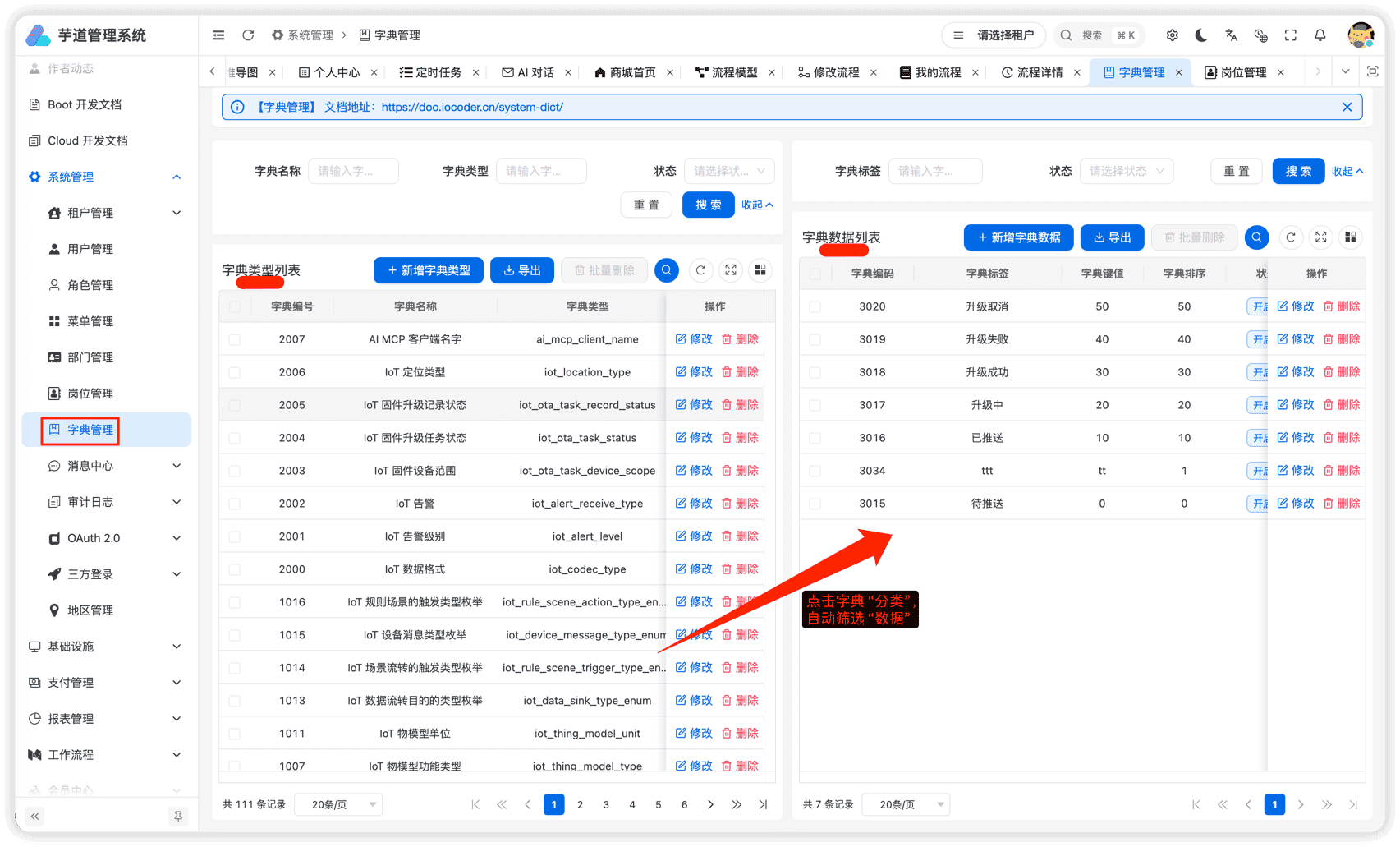
# 1. 全局缓存
用户登录成功后,前端会从后端获取到全量的字典数据,缓存在 store 中。如下图所示:  这样,前端在使用到字典数据时,无需重复请求后端,提升用户体验。 不过,缓存暂时未提供刷新,所以在字典数据发生变化时,需要用户刷新浏览器,进行重新加载。
# 2. DICT_TYPE
在 dict-enum.ts 文件中,使用 DICT_TYPE 枚举了字典的 KEY。如下图所示: 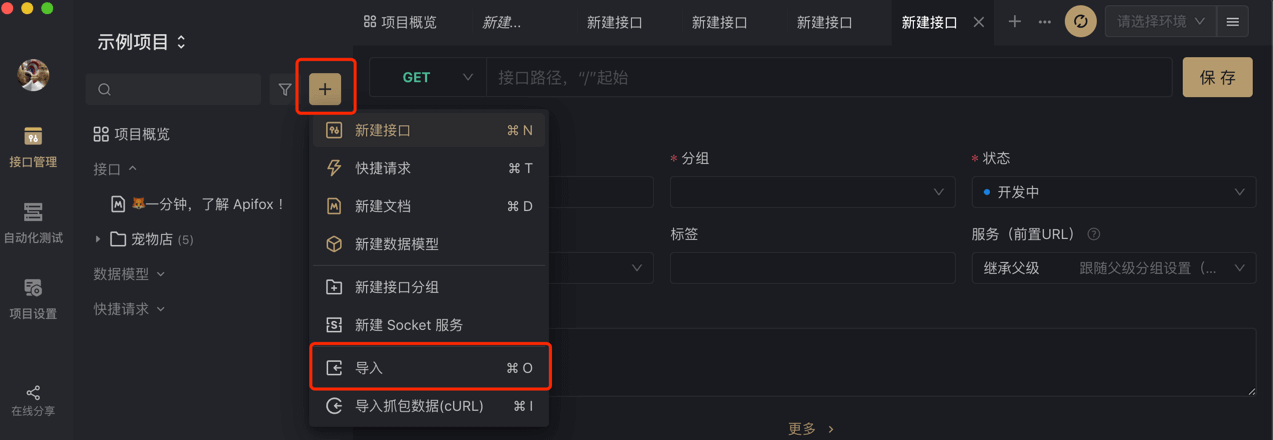 后续如果有新的字典 KEY,需要你自己进行添加。
# 3. DictTag 字典标签
① `` 组件,翻译字段对应的字典展示文本,并根据 colorType、cssClass 进行高亮。
- 源码位置: antd 版本:apps/web-antd/src/components/dict-tag
- ele 版本:apps/web-ele/src/components/dict-tag 使用示例如下:
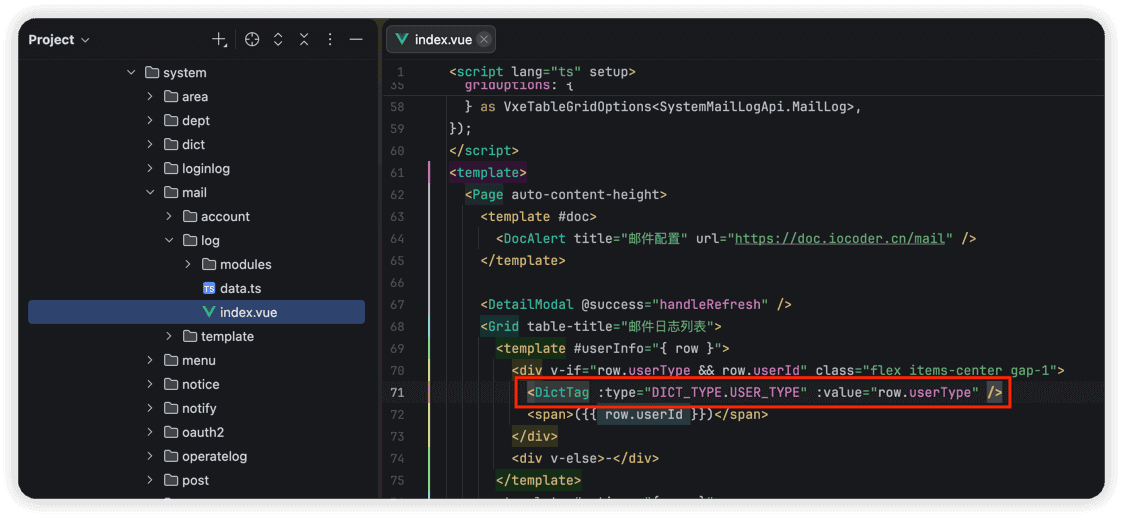 ② 对于 Grid(schema) 列表场景,通过
cellRender属性为CellDict即可。如下图所示: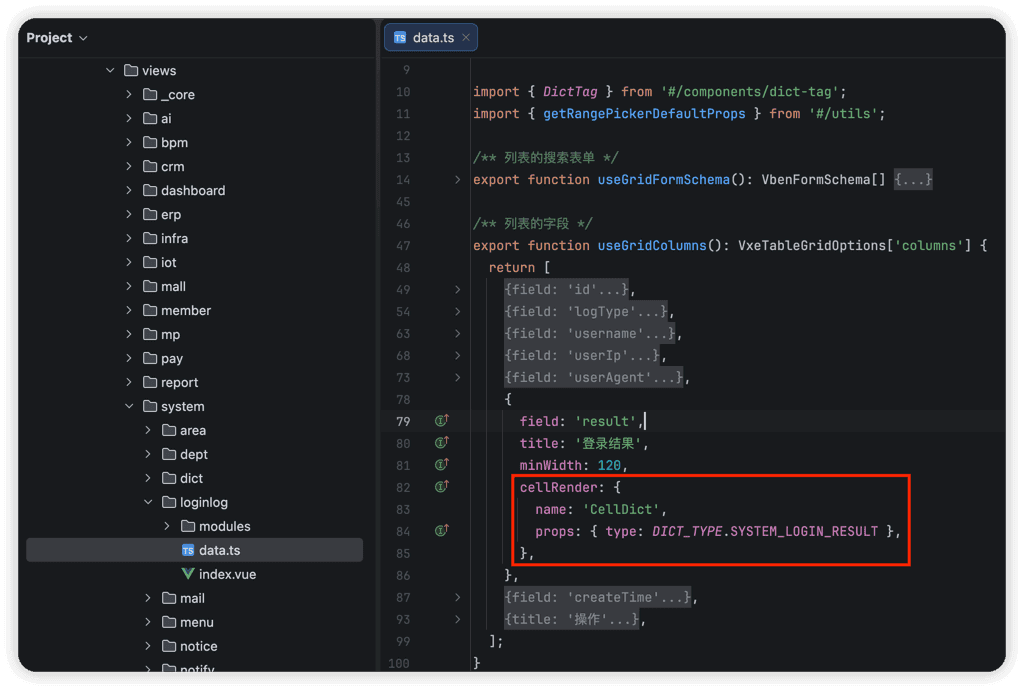 ③ 对于 Description(schema) 描述场景,通过
render为 `` 组件。如下图所示: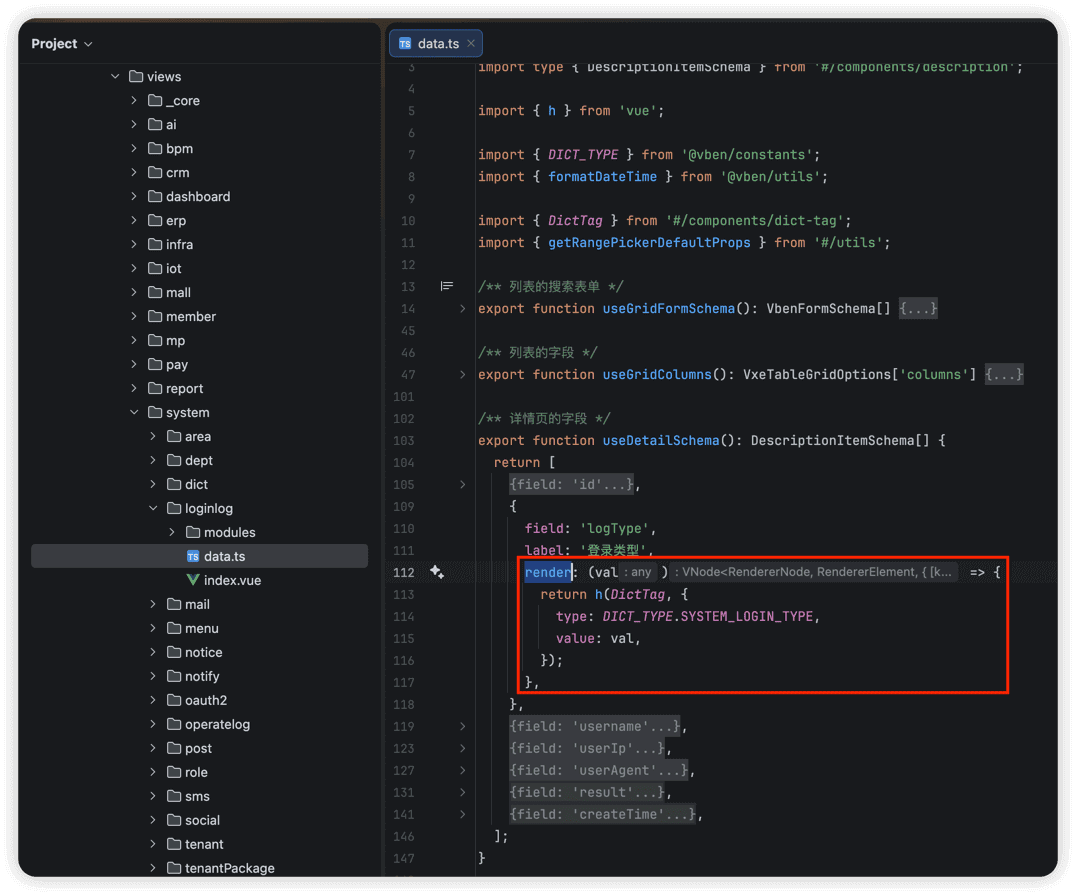 ④ 对于 Form(schema) 表单场景,继续往下看「4. 字典工具类」。
# 4. 字典工具类
在 use-dict.ts 文件中,提供了字典工具类,方法如下: // 获取字典标签 export function getDictLabel(dictType: string, value: any) { /** 省略代码 / } // 获取字典对象 export function getDictObj(dictType: string, value: any) { /* 省略代码 / } // 获取字典数组 用于 select radio 等 // valueType 可选值:'string' | 'number' | 'boolean',默认 'string' export function getDictOptions(dictType: string, valueType: 'boolean' | 'number' | 'string' = 'string') { /* 省略代码 */ } 结合 Vben Form 表单组件,使用示例如下: import type { VbenFormSchema } from '#/adapter/form'; import { DICT_TYPE } from '@vben/constants'; import { getDictOptions } from '@vben/hooks'; export function useFormSchema(): VbenFormSchema[] { return [ // radio 单选框 { fieldName: 'sex', label: '用户性别', component: 'RadioGroup', componentProps: { options: getDictOptions(DICT_TYPE.SYSTEM_USER_SEX, 'number'), buttonStyle: 'solid', optionType: 'button', }, }, // select 下拉框 { fieldName: 'status', label: '用户状态', component: 'Select', componentProps: { options: getDictOptions(DICT_TYPE.COMMON_STATUS, 'number'), placeholder: '请选择用户状态', }, }, ]; }
- 实战案例(antd):apps/web-antd/src/views/system/user/data.ts
- 实战案例(ele):apps/web-ele/src/views/system/user/data.ts .pageB img{width:80px!important;} .wwads-horizontal .wwads-text, .wwads-content .wwads-text{line-height:1;} 图标、主题、国际化 系统组件 ← 图标、主题、国际化 系统组件→ Theme by Vdoing | Copyright © 2019-2026 芋道源码 | MIT License
- 跟随系统
- 浅色模式
- 深色模式
- 阅读模式 × .windowRB{ padding: 0;} .windowRB .wwads-img{margin-top: 10px;} .windowRB .wwads-content{margin: 0 10px 10px 10px;} .custom-html-window-rb .close-but{ display: none; }