Appearance
【商品】商品分类
# 1. 表结构
商品分类,由 yudao-module-product 后端模块的 category 包实现。表结构如下: 省略 creator/create_time/updater/update_time/deleted/tenant_id 等通用字段 CREATE TABLE product_category ( id bigint NOT NULL AUTO_INCREMENT COMMENT '分类编号', parent_id bigint NOT NULL COMMENT '父分类编号', name varchar(255) CHARACTER SET utf8mb4 COLLATE utf8mb4_unicode_ci NOT NULL COMMENT '分类名称', pic_url varchar(255) CHARACTER SET utf8mb4 COLLATE utf8mb4_unicode_ci NOT NULL COMMENT '移动端分类图', sort int DEFAULT '0' COMMENT '分类排序', status tinyint NOT NULL COMMENT '开启状态', PRIMARY KEY (id) USING BTREE ) ENGINE=InnoDB AUTO_INCREMENT=60 DEFAULT CHARSET=utf8mb4 COLLATE=utf8mb4_unicode_ci COMMENT='商品分类'; ① 分类目前支持 2 级分类,即 parent_id 为 0 的是一级分类,否则是二级分类。 ② pic_url 分类图片,一级、二级分类都需要设置。
# 2. 管理后台
对应 [商城系统 -> 商品中心 -> 商品分类] 菜单,对应 yudao-ui-admin-vue3 项目的 @/views/mall/product/category 目录。 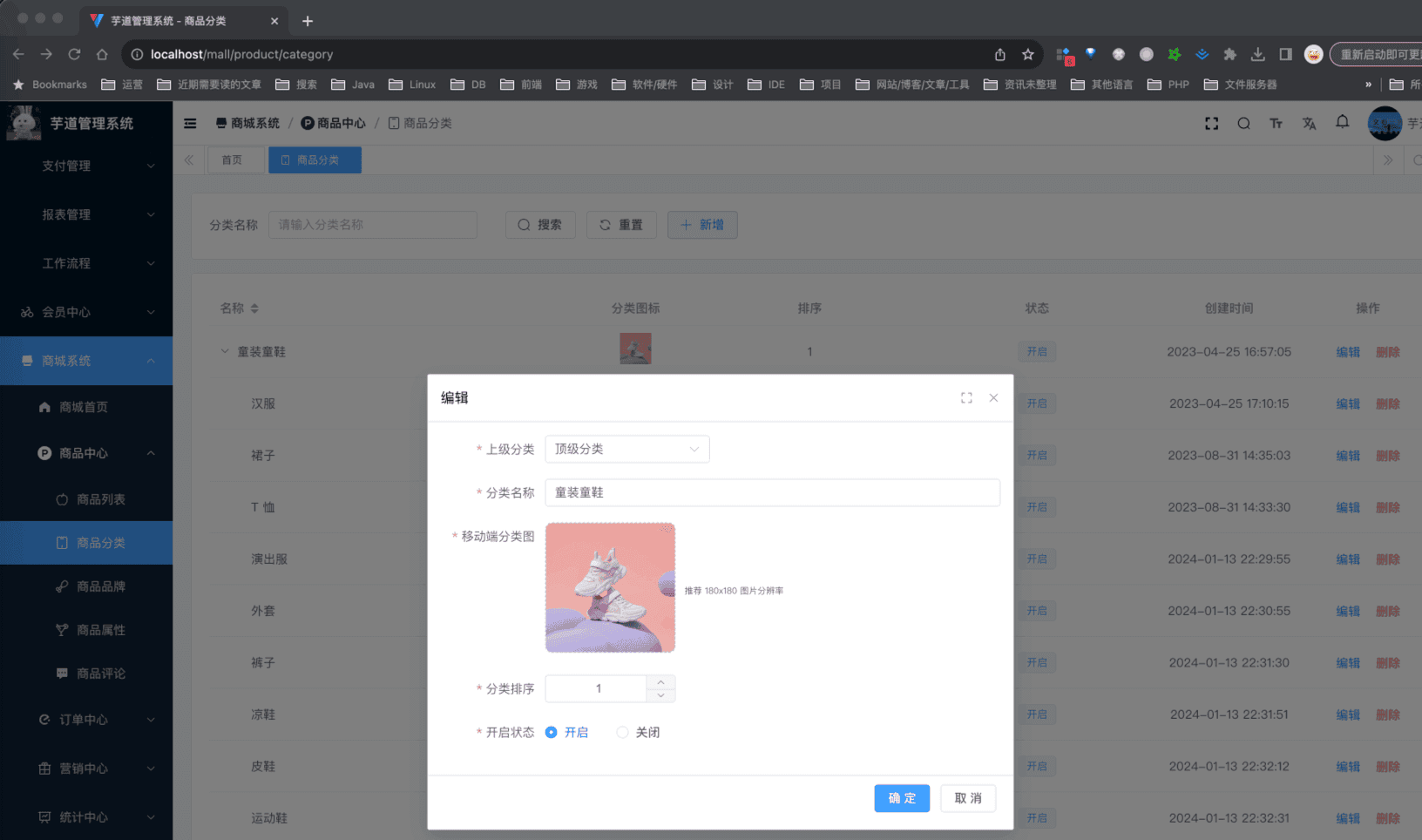
# 3. 移动端
对应 uni-app 底部的 [分类] 导航,对应 yudao-mall-uniapp 项目的 pages/index/category.vue 页面。 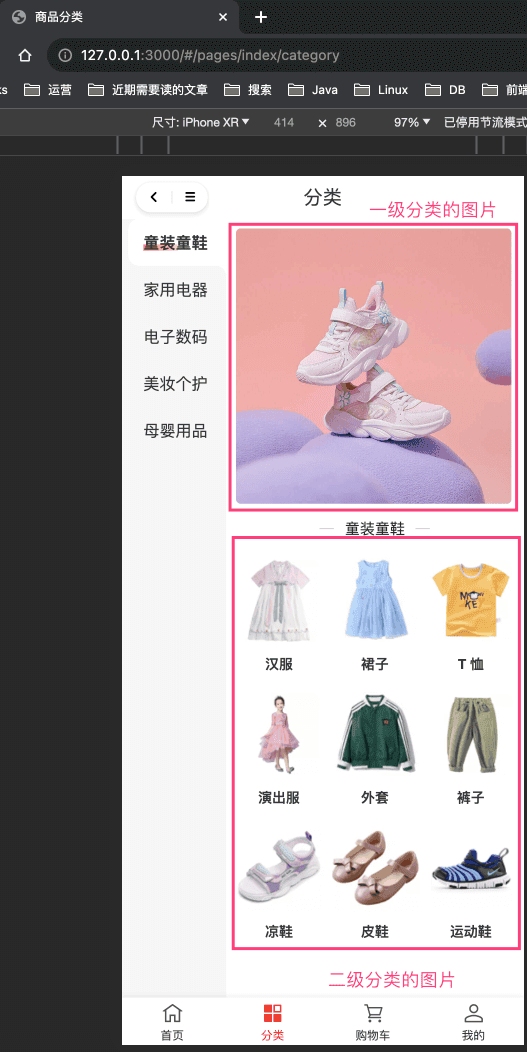 分类目前有
first_one、first_two、second_one 三种展示风格,可以手动进行修改。如下图所示: 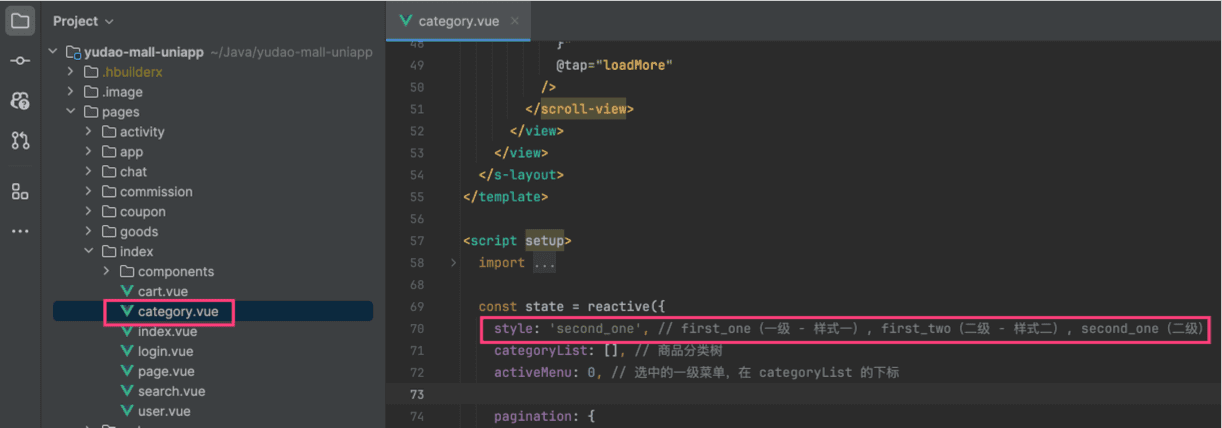
# 666. 社区贡献相关
- 《Pull Request:调整商品分类层级限制并优化校验逻辑》:后端、管理后台、小程序 .pageB img{width:80px!important;} .wwads-horizontal .wwads-text, .wwads-content .wwads-text{line-height:1;} 在线客服 【商品】商品属性 ← 在线客服 【商品】商品属性→ Theme by Vdoing | Copyright © 2019-2026 芋道源码 | MIT License
- 跟随系统
- 浅色模式
- 深色模式
- 阅读模式 × .windowRB{ padding: 0;} .windowRB .wwads-img{margin-top: 10px;} .windowRB .wwads-content{margin: 0 10px 10px 10px;} .custom-html-window-rb .close-but{ display: none; }